Skeletal Mesh asset
This asset type represents a skeletal 3D mesh that can be animated. You can modify it by using Skeletal Mesh Editor.
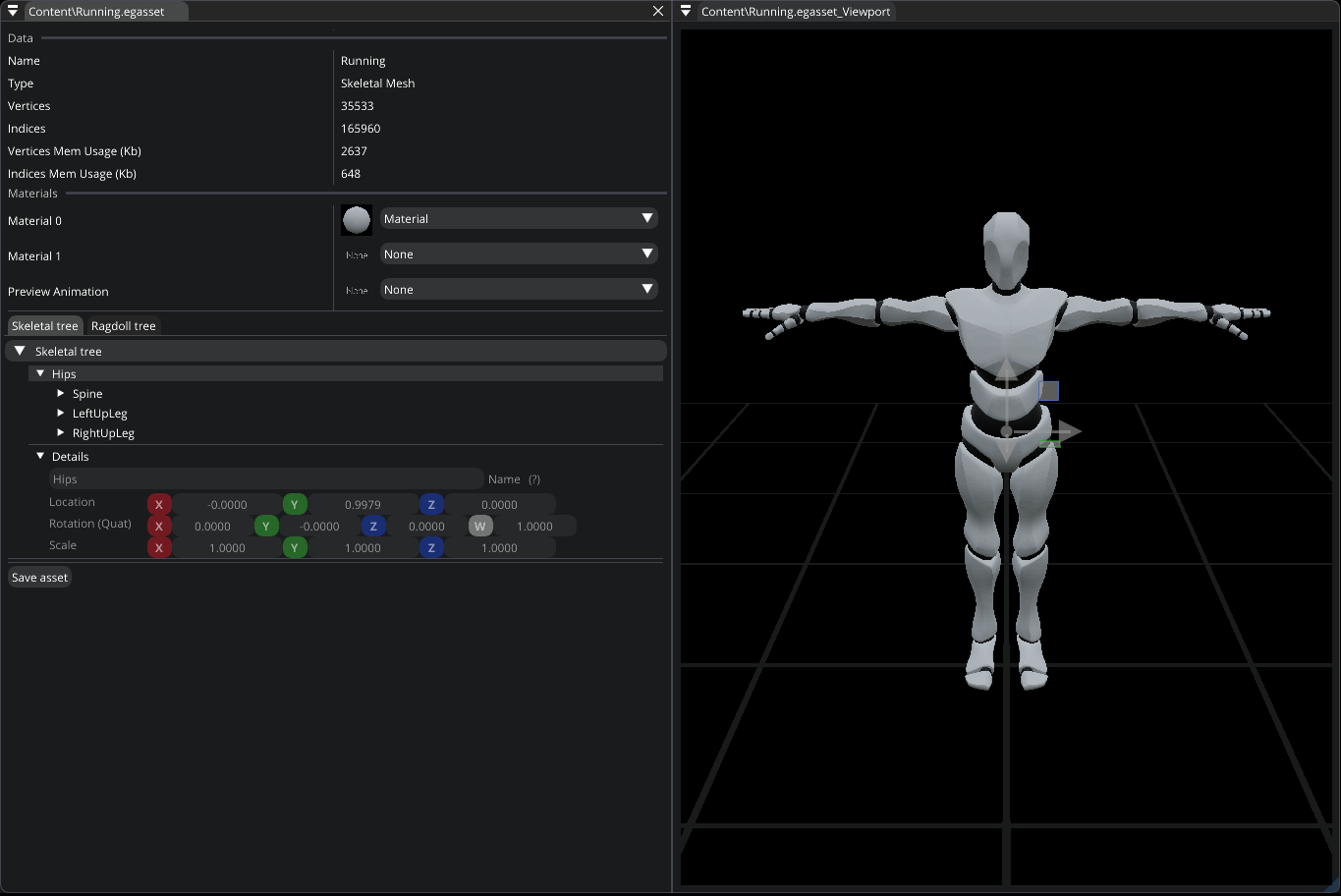
Skeletal Mesh Editor
Materials. Allows you to specify default materials that will be used when rendering a mesh. You can still assigned other materials to a mesh when using a Static Mesh component.
Preview Animation. The editor allows you to specify an animation that will be used for the preview.
Skeletal Tree. Bone transforms are displayed in local space (offsets from the origin). You can’t move bones of a mesh, but you can create your own Virtual bones by right-clicking a bone in the tree. You can modify their transforms and use them in C# to attach any other game-objects.
Ragdoll Tree. It allows you to setup ragdoll of the mesh. You can change the transformation, mass, linear & angular damping, physics material, and shape of a ragdoll collider (Capsule, Box, or Sphere). Transforms of ragdoll bones are displayed relative to originally computed transforms. You can also change the way a ragdoll is generated. By increasing Min ragdoll bone size, you can optimize the simulation, since more bones will be merged into a single ragdoll collider. So, for performance reasons, it’s recommended to set it as high as possible. You can also control Max Twist and Max Swing angles (in degrees). Skeletal Mesh Editor also allows you to simulate the ragdoll you’ve set up.
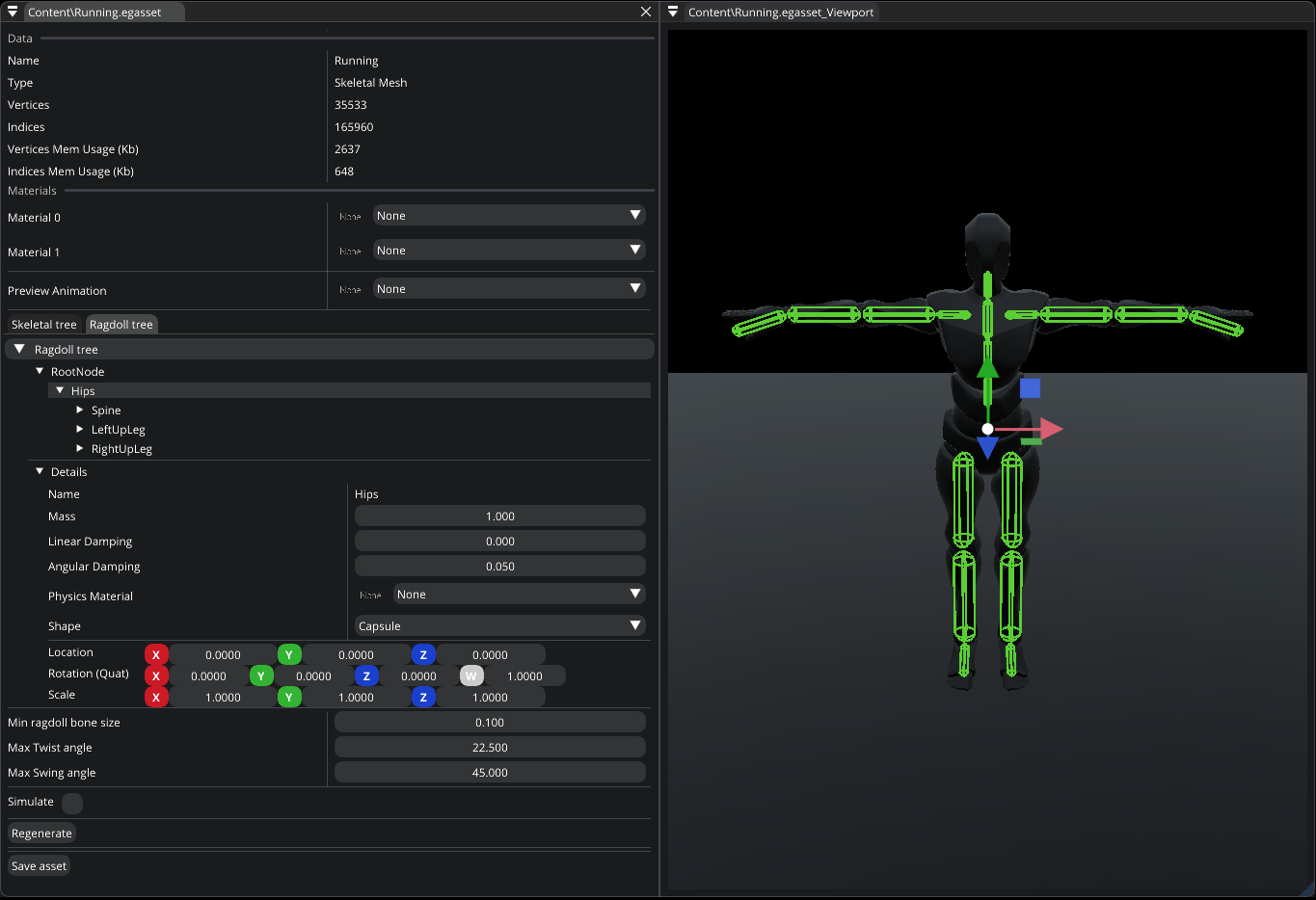
Ragdoll